
Your own report sheet, linked to the model
The PFD Worksheet is an Excel-style grid that lives beside the drawing. Pull any stream’s or unit’s numbers onto it in a few right-clicks, lay them out the way your report needs them, and they update every time the case solves.
A product summary in under a minute

Right-click a cell
Type a heading, right-click the cell below it and choose Insert Table, or insert a single stream or unit.

Pick the streams and rows
Tick the streams, then any mix of conditions, properties and composition, in mole or mass fractions.

It stays live
The table is linked, not pasted. Change a feed and re-solve, and every number on the sheet follows.
Behaves like the spreadsheet you already use
- Several sheets in tabs, each with its own layout, column widths and zoom
- Blue cells are inputs: type a new feed temperature or a unit specification and the case re-solves
- Copy, cut, paste, delete, undo and redo, for single cells or whole blocks
- Copy any block and paste it into Excel: it arrives as rows and columns
- Insert across or down, with or without labels, to build side-by-side comparisons
- Remove link here freezes a value, to keep a “before” beside a live “after”
- The whole worksheet, links and all, is saved in the case file

Every number the model knows
Stream conditions
Status, vapour fraction, temperature, pressure, molar, mass and standard liquid volume flow, enthalpy, entropy, phase, and the stream’s specification mode.
Stream properties
Molecular weight, densities, specific gravity and API, Watson K, phase enthalpies and entropies, heat capacities, viscosities, thermal conductivities, surface tension, bubble and dew points, critical properties, and true and Reid vapour pressure at 100 °F.
Compositions and units
Each stream’s component fractions, and any unit operation’s specifications and results, with the unit’s own drop-down lists and check boxes where they belong.
Every datasheet in one Excel workbook
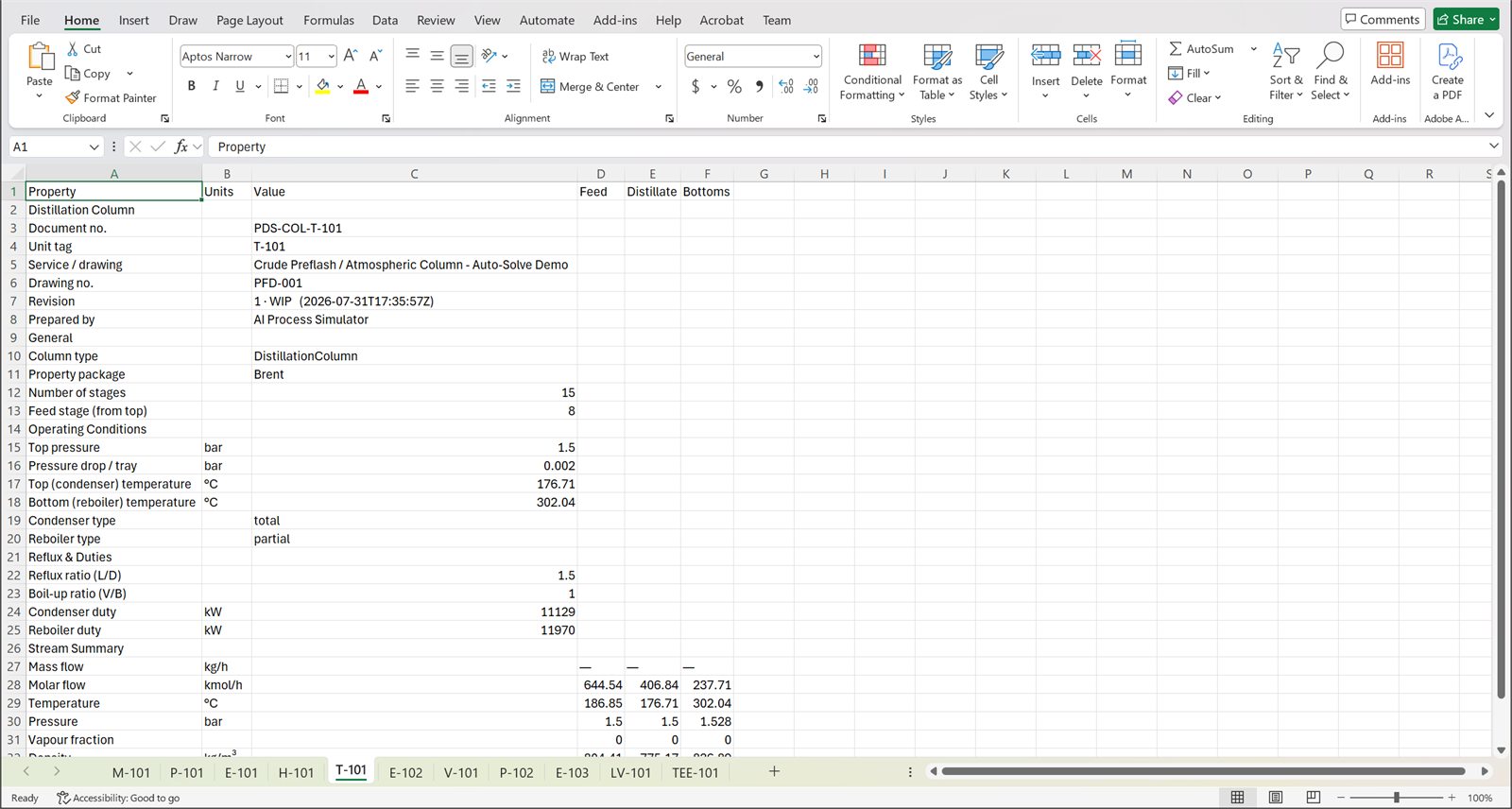
Each unit carries its own equipment datasheet, laid out the way a discipline engineer expects it: a TEMA-style sheet for an exchanger and the equivalent for columns, pumps, vessels and the rest. The Datasheet Manager issues them together.
- Export Excel: one workbook, one worksheet per unit, ready for an equipment list or a vendor enquiry
- Export PDF: one document, a page per unit, with the equipment tag in the header
- Print: the same document, straight to the printer

Stream tables that live on the PFD
Drop a streams table or a unit-ops table straight onto the flowsheet drawing. It updates with every solve, can be frozen for a snapshot, and can include the streams inside sub-flowsheets, each labelled with where it sits.

Make the report you actually need
Version 1.6.2 ships with a crude unit sample case to try it on.